
Why does the same NVMe SSD behave differently in two USB enclosures?
- An external drive combines the SSD with a host port, cable, enclosure bridge, power path and cooling path; the SSD alone cannot determine the result.
- Compare enclosures one at a time using the same physical SSD, host port, cable, dataset and test settings.
- Record negotiated USB speed, performance over time, disconnect events and read-back results before assigning a cause.
The enclosure changes the path between the NVMe SSD and the computer. Its USB bridge, cable, power circuit and cooling arrangement join the host port and software in determining what the complete external drive can do. A faster SSD specification cannot remove a slower USB link or establish that a particular enclosure will remain connected during the customer's workload.
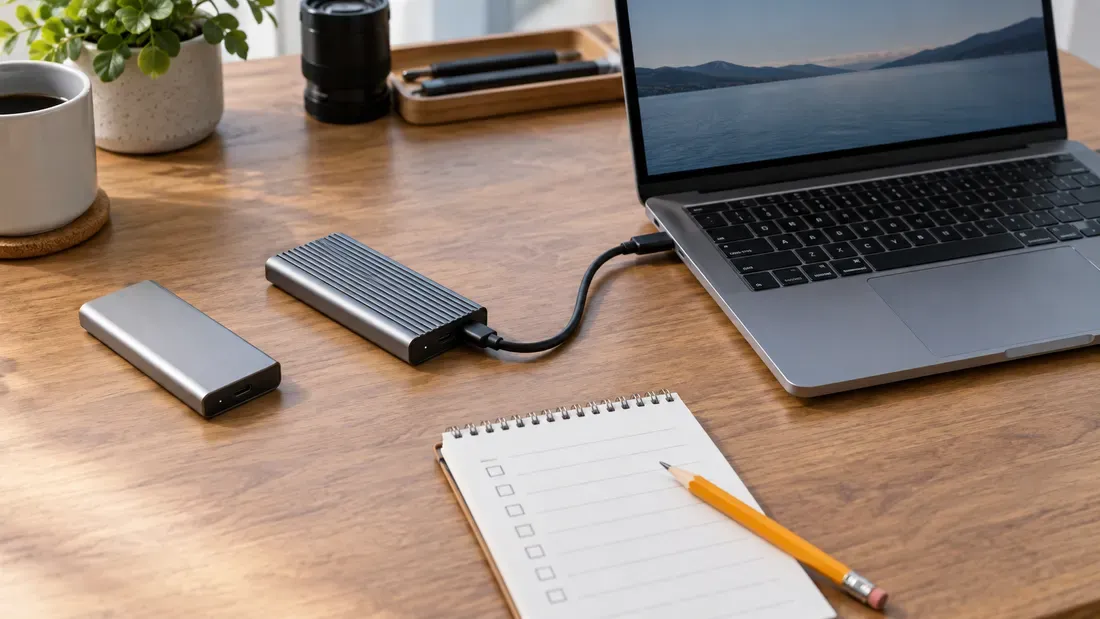
Image note: the AI-generated cover shows one enclosure connected and the other set aside for a later run. It is not a Kalstor test or a photograph of qualified enclosures.
Kalstor supplies SSD hardware, not USB enclosures. The checklist below helps an integrator evaluate a third-party enclosure with a proposed SSD. It does not certify an enclosure or transfer responsibility for the host, cable and enclosure to the SSD supplier.
First confirm what actually differs
“The same SSD” should mean the same physical unit, moved between enclosures in separate runs. Using two units of the same model adds unit-to-unit variation. Before either run, record the SSD's full part number, capacity and firmware where available, as well as its fill state and any prior heavy test use. Confirm that both enclosures support that SSD's M.2 size and NVMe interface; M.2 shape alone does not establish protocol support. Our M.2 fit and interface guide covers that prerequisite.
| Keep the same in the first comparison | Record for each enclosure |
|---|---|
| Physical SSD; host and exact USB port; operating system; cable; power arrangement; filesystem; dataset and test settings | Enclosure model and revision; bridge or firmware identity if documented; supported USB rate; assembly and thermal-pad instructions; actual negotiated link; test result and error log |
The USB-IF describes 5, 10 and 20 Gbit/s USB 3.2 modes and notes that a connection operates at the lowest common capability. The connector's shape does not identify the rate of every component in the path. A link rate is a signaling capability, not a promise of sustained file-copy speed.
Treat symptoms as questions, not diagnoses
| What you observe | What to check next | What the observation alone cannot prove |
|---|---|---|
| Lower peak transfer rate | Negotiated USB mode, cable and port specifications, workload and source/destination limits | That the NVMe SSD is defective or that one particular bridge chip is slow |
| Speed falls during a long write | Throughput over time, SSD fill state, enclosure surface temperature, any accessible SSD telemetry, and the source file system | That heat is the cause; cache behavior or another bottleneck may also matter |
| Drive disappears or a copy stops | Host event log, cable seating, sleep/reconnect state and the enclosure's documented power requirements | Whether the first failure was in the SSD, bridge, cable or host |
| SSD utility cannot read health data | Whether the adapter passes the commands that utility needs; if possible, compare direct host access | That the SSD has no health data or has failed |
An enclosure's temperature can be checked at a stated surface point, but an infrared reading at one moment is not a continuous SSD-controller temperature record. Internal telemetry may be unavailable through the bridge. Intel cautions that BIOS, motherboard or management tools may not recognize a drive through some adapters and enclosures. Report the measurement's limits instead of filling the gap with an assumed cause. For SSD thermal behavior in a direct host, see the NVMe thermal guide.
Run the comparison in a repeatable order
- Prepare a designated test SSD. Back up any data that matters. Full-volume write tests and formatting can erase it. Note the exact SSD identity, fill state and workload before starting.
- Run enclosure A. Install the SSD and any thermal material according to that enclosure's instructions. Use the chosen host port and cable. Record whether the drive enumerates, the negotiated USB mode if the host exposes it, and the filesystem used.
- Write and read the same dataset. Record throughput over the full run, not just an initial burst. Check that the files can be read back and compare their hashes with the source. Save operating-system disconnect or timeout logs.
- Run enclosure B under the same conditions. Power down and move the same SSD using the second enclosure's assembly instructions. Let the assembly return to a comparable starting condition. Repeat the same dataset, settings and observations.
- Only then change another variable. If a result differs, repeat with a second known cable or port in a separate run. Changing the box, cable and port together cannot isolate which change mattered.
Keep a simple result row for each run: SSD ID | enclosure/revision | host/port | cable | negotiated mode | dataset/settings | initial and sustained rate | temperature point/time | resets/errors | read-back result. A failed file hash, unexplained disconnection or missed application deadline is more important than a brief high benchmark score. The buyer should set acceptance limits from the intended device and workload before comparing results; no universal transfer-rate threshold qualifies every external storage project.
For an SSD candidate, send Kalstor the required capacity and interface, host and enclosure models, workload, temperature conditions and volume through the project inquiry form. Confirm the exact SSD configuration and test responsibility in the quotation. Enclosure selection and system-level approval remain with the integrator and its enclosure supplier.
References
We publish measured usable capacity and define trial-batch verification against the quoted product and agreed test scope.