
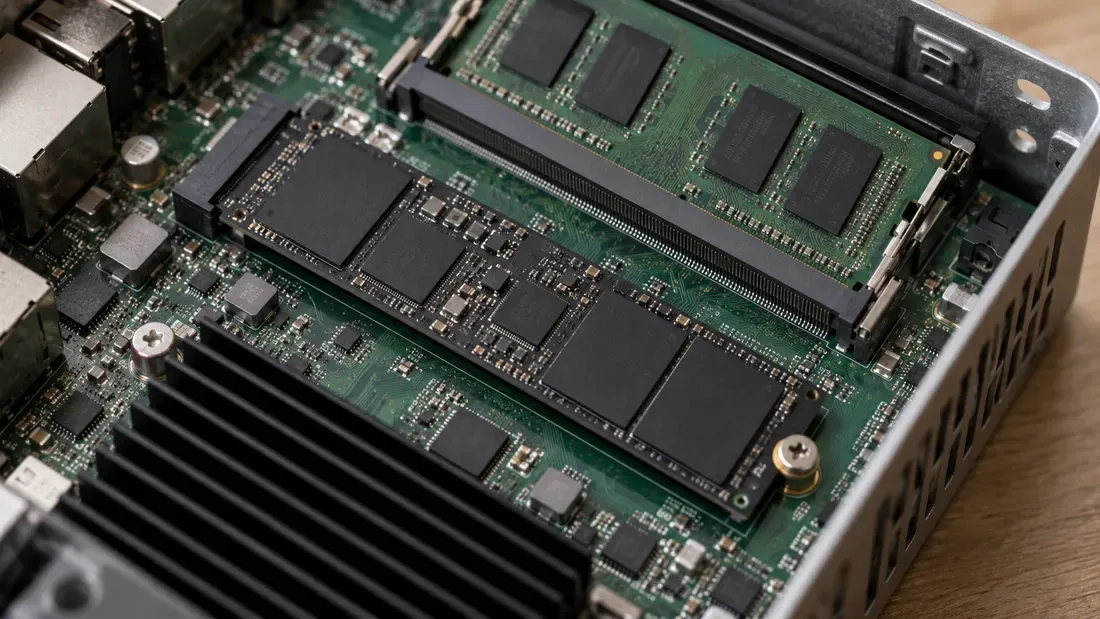
Host Memory Buffer (HMB) in Industrial PCs: Architecture and DRAM-less NVMe Evaluation
- Host Memory Buffer (HMB) lets a supporting NVMe controller use host-allocated memory; the drive decides how to use that region.
- HMB is neither an exact equivalent to onboard DRAM nor persistent storage, and DRAM presence does not inherently guarantee power loss protection.
- Qualification must verify the active HMB state, firmware revision, thermal profile, and target workload on the specific industrial host hardware.
When configuring compact industrial PCs, embedded box PCs, or fanless edge gateways, system architects frequently evaluate three distinct solid-state storage memory architectures: SSDs with dedicated onboard DRAM, DRAM-less NVMe SSDs utilizing Host Memory Buffer (HMB), and DRAM-less SSDs operating without usable HMB. The architecture affects integration choices, but its performance and power-loss behavior must be checked on the exact host and drive.
What Is Host Memory Buffer (HMB)?
Host Memory Buffer is an optional feature defined in the NVM Express (NVMe) base specification. SSD controllers manage a mapping between host logical blocks and flash media. How much of that mapping is cached, and where, depends on the controller design.
In a DRAM-less NVMe architecture supporting HMB, the host allocates memory for the controller to use through the NVMe HMB feature. A controller may use it for mapping or other internal buffers; the amount and use depend on the device and host driver.
HMB is fundamentally distinct from the operating system page cache and local onboard DRAM:
- Distinct from OS Page Cache: The OS page cache buffers user and file data in system memory to minimize storage I/O. In contrast, HMB is allocated for the controller's use under the NVMe feature, rather than serving as the OS file cache.
- Distinct from Onboard DRAM: Onboard DRAM sits on the SSD; HMB resides in host memory accessed over the host connection. That difference does not by itself predict a workload result.
- Volatile Operation: Host memory allocated to HMB is entirely volatile. HMB does not provide nonvolatile persistence for in-flight user data during sudden power failure events.
Micron lists its 2650 as a DRAM-less NVMe SSD with HMB. This is one product example, not a specification for a Kalstor part or a measured comparison with onboard-DRAM drives.
Verifying HMB Support on the Host Platform
HMB functionality is not automatically enabled simply because an SSD controller supports it. The controller must support the feature and the host NVMe driver must enable it; check the complete platform rather than the drive label alone.
In Linux environments, kernel ABI documentation defines the sysfs interface /sys/class/nvme/nvmeX/hmb to inspect and manage the runtime state of HMB on a per-controller basis. On supported Linux PCI NVMe configurations, the documented hmb entry reads 1 when enabled and 0 when disabled; it is present only when the controller advertises HMB. Other systems require their own supported diagnostic path. Do not infer the state from the product brochure.
Architecture Comparison
| Architecture | Possible buffer location | Host System Dependency | What to Verify in Engineering | What Cannot Be Inferred |
|---|---|---|---|---|
| SSD with Onboard DRAM | On-device DRAM, if fitted | Does not need HMB allocation for its onboard DRAM | Exact part's thermal and power-loss specifications | Cannot infer that onboard DRAM includes Power Loss Protection (PLP) |
| DRAM-less NVMe with HMB | Host-allocated RAM for controller use | Dependent on OS NVMe driver support, PCIe DMA, and host memory availability | Active HMB status via OS interface; PCIe link power states; host memory overhead | Cannot infer that HMB performs identically to onboard DRAM across all sustained random access patterns |
| DRAM-less SSD (No HMB) | Controller-internal resources and flash, per design | No HMB allocation; protocol support depends on the exact interface | Exact part and representative workload | Cannot infer that all DRAM-less SSDs suffer poor endurance or inadequate read performance |
Engineering Verification and Qualification
Selecting storage for compact industrial PCs requires avoiding several common engineering assumptions:
- DRAM Does Not Imply Hardware PLP: The presence of onboard DRAM does not mean the drive features power loss protection capacitors. Unprotected DRAM caches volatile write data that can be lost during abrupt power cuts.
- DRAM-less Does Not Imply Low Endurance: Endurance depends on the exact NAND, controller, spare capacity, write workload and product rating; a DRAM label alone is insufficient.
- HMB Is Not a Drop-in DRAM Clone: HMB may improve some workloads, but the effect depends on implementation and host support. Compare candidate drives under the same real workload and host load.
For broader architectural guidance comparing bus protocols in embedded systems, review our published industrial SATA vs NVMe selection guide.
Industrial deployment requires qualifying the exact SSD SKU on the target host platform. Engineering teams should execute validation testing under representative environmental temperatures with the target operating system image, recording HMB state if exposed, firmware, actual application latency/throughput, power and temperature conditions, and separately qualified power-loss recovery.
Send the host configuration and measured workload with a quote request when comparing exact storage parts.
References
We publish measured usable capacity and define trial-batch verification against the quoted product and agreed test scope.