
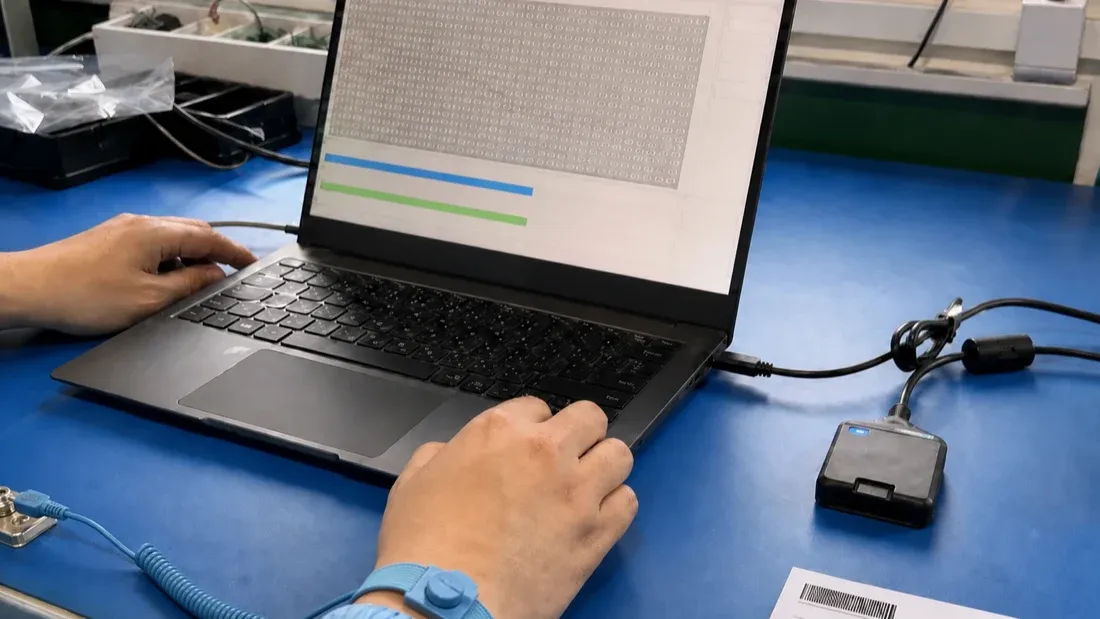
Why does the same microSD card test differently on another computer?
- A pass on one computer and a failure on another identify a changed test chain; neither result alone proves that the card is good or defective.
- Freeze the reader, adapter, cable, physical port, operating system, cache policy, software version, test mode, power state and temperature before comparing results.
- Keep the first failure, check the original station with a known-good reference card, and change only one variable during recheck.
- A full write/readback comparison can verify returned data under recorded conditions, but it does not prove an entire lot is defect-free or durable.
The same microSD card can fail on one computer and pass on another. That does not automatically prove that the first result was false, that the second computer repaired the card, or that the card is acceptable. It shows that the card-reader-host test chain changed.
A defensible decision separates the sample from the reader, adapter, cable, port, operating system, cache policy, power state, test program and environment. The first failure remains evidence. The recheck must follow a written order and change one variable at a time.
Start by defining the question
Different tests answer different questions:
- a controlled write/readback comparison checks whether expected data returns from the tested address range;
- a read-only scan checks whether the host can read the accessed logical range on that path;
- a sustained-speed test measures time-dependent performance under a stated workload;
- a target-device run checks compatibility with the real camera, recorder or industrial host.
Compressing those questions into one green or red button produces results that cannot be audited. Before running software, write down what the result must support and what it cannot support.
Why another computer can change the result
Desktop software observes the complete host path. The following variables can alter timeouts, throughput, disconnects or returned data:
- reader controller and supported SD bus mode;
- microSD-to-SD adapter contact condition;
- USB cable, hub topology and physical port;
- host-controller driver and operating-system build;
- sleep, power-saving and removable-media cache policy;
- antivirus, indexing, backup or other background I/O;
- card, reader and ambient temperature;
- software version, test mode, block size and data coverage.
Therefore, “failed on workstation A, passed on workstation B” means only that the failure was not reproduced under B's conditions. It does not erase the first log.
Freeze the test record before comparing cards
Each sample record should include:
| Area | Minimum record |
|---|---|
| Sample | sample ID, purchase lot, labelled capacity, artwork or packaging revision |
| Card identity | CID, serial or controller identity when the chosen host path can expose it |
| Tool | software name, version, exact mode and whether it is file-level or block-device-level |
| Computer | model, operating system, power state, sleep setting and available system storage |
| Reader path | reader, adapter, cable and exact physical port |
| Starting state | reported capacity, filesystem, volume condition and free space |
| Environment | ambient temperature, cold-start or warmed station, and test order |
A blue USB connector is not proof of link capability. Port colour is only an appearance convention; an internal hub, reader controller, cable or driver may still become the bottleneck. Record the actual reader and port, then check station headroom with an appropriate reference device.
Protect data and control the run
Full-range write tests are normally destructive. A block-device mode can also overwrite the partition table. Before testing:
- identify the device by more than a drive letter;
- copy required files to another medium and verify the copy;
- connect the computer to stable power;
- disable automatic sleep for the defined run;
- prevent unplugging, reader changes and unrelated heavy I/O;
- preserve the original logs before formatting or repair.
The SD Association formatter guidance likewise tells users to back up data before formatting and notes that overwrite formatting may take substantial time. Operating discipline matters because an interrupted host path can look like a card failure.
Confirm what the tool actually does
The product name of a utility is not a method definition. Confirm whether it:
- writes unique or otherwise verifiable data;
- covers the complete agreed usable range or only a sample;
- reads the data back and compares it with the expected pattern;
- reports tested bytes, error positions, corruption and loss;
- formats, repairs or restores data automatically.
F3 provides a transparent example. Its f3write fills a mounted medium with pseudorandom files and f3read checks whether the same content returns. f3probe is a faster, destructive block-device probe. These modes do not cover the medium in the same way and must not be reported as one generic “full test” [1].
A reproducible sequence
1. Preserve initial evidence
Photograph the card and packaging, capture available identity fields, and record reported capacity and filesystem. If an error already occurred, export its log before any format or repeated run.
2. Establish the station
Run a known-good reference card on the original reader path. A reference failure points toward the station, but a reference pass does not automatically clear the suspect sample.
3. Write the agreed range
Record start and finish times, bytes written, average or time-series performance and interruptions. A progress bar is not the final evidence.
4. Read back and compare
The expected content must be compared with the returned content. Opening a directory or completing a read-only scan does not establish the same evidence.
5. Archive before recheck
Store logs, screenshots, conditions and sample identity together. Only then move the failed sample to the controlled reference path while retaining the same software version and mode.
Estimate whether a claimed full test is plausible
A simple scheduling estimate is:
test time ≈ data amount / actual write speed + data amount / actual read speed
For 256,000 MB written at 40 MB/s and read at 90 MB/s:
- write time: 6,400 seconds;
- read time: about 2,844 seconds;
- theoretical total: about 154 minutes.
This is an example, not a Kalstor product specification. Filesystem overhead, comparison work, temperature and background activity add time. If software claims a large-capacity full test in a fraction of this order of magnitude, confirm whether it sampled rather than covered the full range.
Do not translate a red block into a physical diagnosis
A desktop utility operates on host-visible logical addresses. A red area may mean returned-data mismatch, command failure, timeout or another tool-defined state. It does not directly reveal a NAND die defect or the controller's internal bad-block, spare-block and wear-level mapping.
| Observation | Supported conclusion | Unsupported conclusion |
|---|---|---|
| Full controlled write/readback passes | expected data returned under the recorded conditions | the entire lot has zero defects or sufficient lifetime |
| A logical range mismatches | host-visible data differed during that run | a physical defect was located on a specific NAND die |
| Read-only scan passes | accessed areas were readable on that path | capacity, write integrity and V30 compliance are proven |
| Reported capacity matches the label | reported capacity is consistent | the complete capacity can retain distinct data |
Recheck without “testing until it passes”
Define the recheck order before seeing the result:
- inspect host sleep, disconnect, space and system-event records;
- run the reference card on the original chain;
- move the failed sample to the controlled reference reader and port;
- keep software version and test mode unchanged;
- if the error repeats, isolate the sample for supplier analysis;
- if it does not repeat, retain the first result and investigate the original chain.
Repeatedly formatting and rerunning until one green screen appears destroys diagnostic value. The protocol should state the number of repeats, allowed variable changes and disposition rule in advance.
What procurement and quality should receive
A release record should connect the sample and lot identity to the test range, tool and version, reader chain, start and finish time, full logs, error positions, first result, recheck result, operator, approver and disposition.
For an agreed project, Kalstor can help structure the capacity, reader, target host, sample count and failure-escalation fields into a validation sheet. This support does not turn a desktop run into product certification, target-host compatibility evidence or endurance qualification. Those claims require their own defined methods.
For related procedures, see the microSD incoming-inspection checklist and the comparison of full-address scanning and write verification.
FAQ
Can a microSD card be released if it fails on one computer but passes on a reference computer?
Can quick format detect a fake-capacity card?
Does a red block in a desktop test prove a physical NAND bad block?
Should an important USB drive or memory card be safely ejected?
References
We publish measured usable capacity and define trial-batch verification against the quoted product and agreed test scope.