
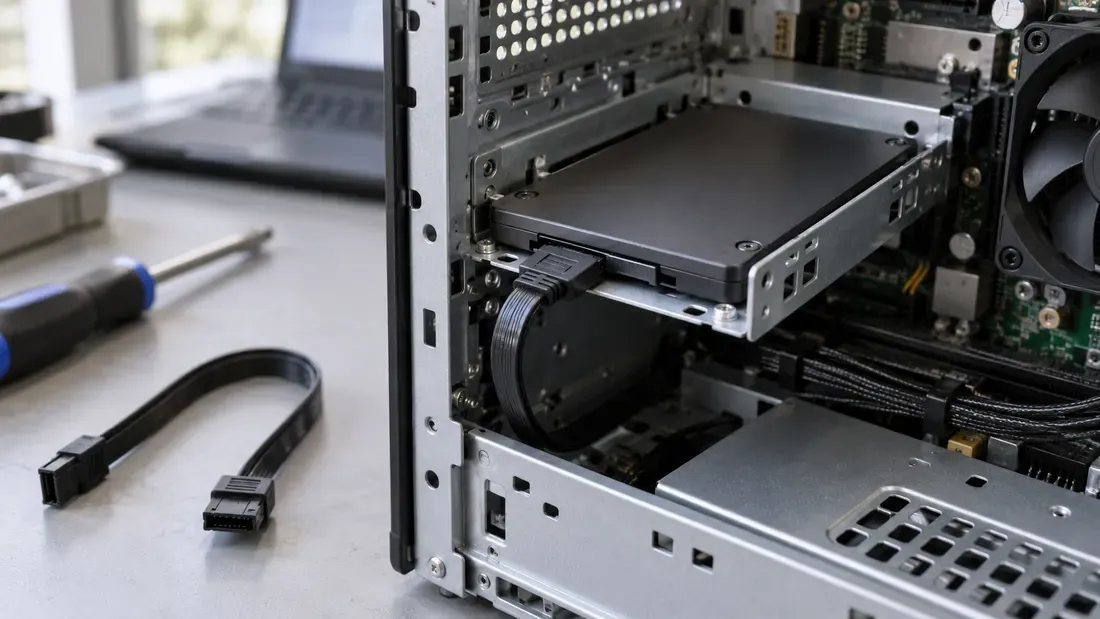
Isolating SATA CRC Errors: Cable, Port, Backplane, or Drive?
- A supported SATA interface CRC count describes link transfer errors; it does not by itself diagnose NAND media health or identify a failed part.
- An existing count may remain after a fix; compare new increments over recorded workload windows.
- Attribute meanings vary by vendor specification; verify drive-specific documentation rather than applying generic raw thresholds.
- Use compatible known-good parts in controlled cable, port and drive comparisons.
- Preserve device and host logs with the test conditions if an RMA investigation is needed.
When a supported drive reports increasing SATA interface CRC errors, a field engineer faces a practical question: should the drive be pulled for Return Merchandise Authorization (RMA), or does the fault lie in the host cabling, connector, or backplane port?
A historical total does not show whether the problem is still active. Capture a baseline and measure new increments before replacing a part.
Interface Integrity vs. NAND Media Health
The most critical principle in SATA troubleshooting is that an interface error is not equivalent to a NAND media defect. A CRC error reported for the SATA interface points to a transfer problem on the host-to-drive path. The path includes connectors, cables or backplanes, host electronics and the drive interface.
It does not establish that NAND cells are worn or that one cable is faulty. The operating system may also report resets, retries or failed I/O, which should be preserved with the drive-side reading. Diagnose the path before attributing the fault to the SSD.
SMART Attribute Definitions and Lifetime Accumulation
Many storage diagnostic utilities present SMART ID 199 as the UltraDMA (UDMA) CRC Error Count. For example, Micron lists attribute 199 as Ultra-DMA CRC Error Count for covered SATA drives. However, SMART raw meanings and available attributes can differ by model and firmware. Seagate cautions against relying on unsupported third-party interpretation.
Engineers must adhere to vendor-specific manuals:
- Do not assume Attribute 199 has an identical structural definition across all vendors and firmware revisions.
- Never interpret normalized thresholds uniformly across different storage manufacturers.
- Avoid applying arbitrary numeric cutoffs to declare a drive defective.
- Determine from the exact model documentation whether this raw field is cumulative and how it is encoded.
When a degraded SATA cable or loose backplane channel is replaced with a pristine component, a cumulative counter may retain its historical value. A non-zero reading after a physical fix does not indicate an active fault. Compare the change in the same reported raw field over a defined operating window. Keep the start and end readings, time, workload and any power-cycle/reset events; a changed encoding or reset invalidates a direct delta comparison.
Controlled Hardware Isolation Protocol
To determine whether the root cause is the cable, backplane slot, interposer, host controller, power supply rail, or drive PHY, plan a sequence in which each comparison changes one relevant component while the workload and observation window remain comparable.
Step 1: Capture the Diagnostic Baseline
Before altering the physical topology, record the complete operational context:
- Exact drive model number, serial number, and active firmware version.
- Host environment, including operating system kernel, HBA/SATA controller model, driver version, and chassis slot identifier.
- Baseline SMART raw counter value for the CRC attribute.
- Available OS and controller logs showing resets, link renegotiation, timeout or I/O errors; do not treat missing log events as proof that no transfer error occurred.
Step 2: Single-Variable Swap Sequence
Follow the host service manual and shut down before swaps unless its exact bay is designed for the relevant hot-swap procedure.
- Verify or Replace Cabling: Replace the existing data cable with a compatible known-good cable. Rerun the workload. If new increments stop, the cable or its reseated connection becomes a leading suspect; confirm over another comparable window.
- Shift Host Ports / Backplane Slots: If increments persist, keep the known-good cable and move the SSD to an alternative known-good SATA port or backplane bay on the same host. A change that follows the port or bay narrows the host-side path; it does not identify a particular trace or solder joint.
- Cross-Test Drive on Independent Host: If errors continue to accumulate, move the suspect drive to an entirely separate, known-good host system. Separately test a compatible known-good drive in the original position with the same workload and observation window.
Step 3: Assess Signal and Power Integrity
Intermittent CRC increments can also stem from auxiliary electrical issues. If results remain inconsistent, document the power source, adapter/backplane, seating and any environmental change. Electrical diagnosis belongs to qualified personnel using safe points and the actual hardware documentation. A single counter increment alone never constitutes proof of a single bad cable; it calls for checking the link path and the vendor definition of that counter.
RMA Evidence Preparation
If systematic isolation confirms that CRC increments occur exclusively on a single SSD across multiple known-good host environments and cables while other drives operate without increments in the original slot, the drive-side interface becomes a plausible fault domain, subject to manufacturer investigation.
Consolidate your recorded baseline, workload duration, delta counter logs, and host kernel output into a structured technical dossier before submission. Review our detailed guide on Flash Storage RMA Failure Analysis and Evidence Packages for the evidence fields to preserve. Include exact device and host details with a quote request if a replacement candidate must be evaluated.
References
We publish measured usable capacity and define trial-batch verification against the quoted product and agreed test scope.