
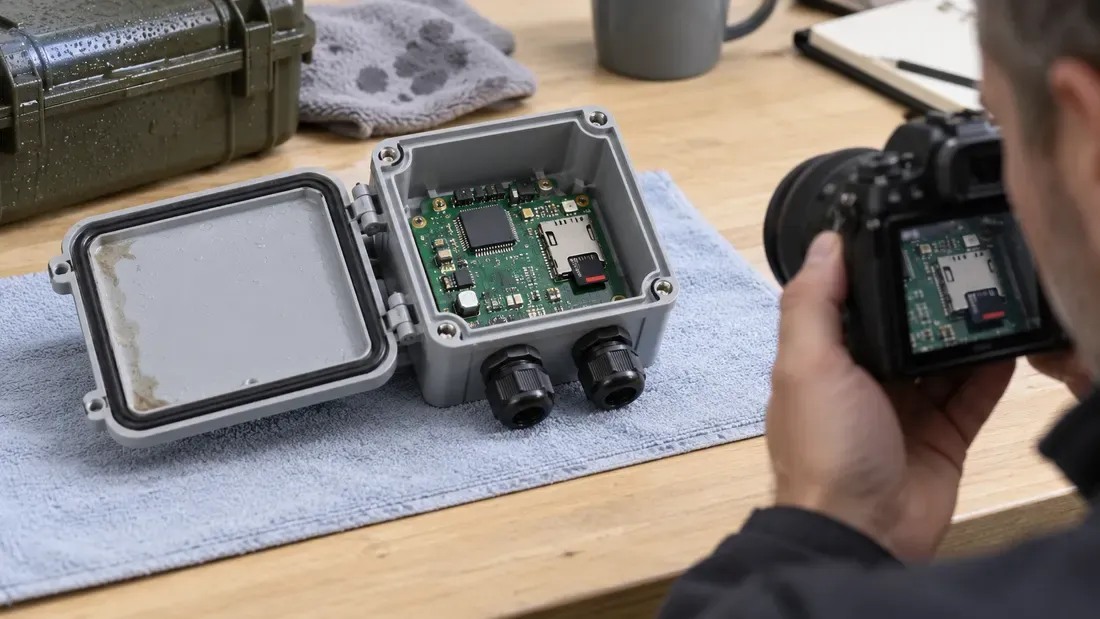
Outdoor Card-Slot Failures: Separating Condensation and Corrosion from Media Temperature Ratings
- Operating temperature ratings on industrial memory cards do not qualify host slots or enclosures against condensation and airborne contamination.
- Preserve logs and photos before changing hardware; power down before inspecting the slot.
- Compare card, slot, host power and file system before assigning the fault to a component.
An industrial microSD card's operating-temperature range applies to the specified card under its test conditions. It does not qualify the host socket, enclosure or board against moisture. Outdoor errors following a cold-to-warm transition deserve a contact and enclosure investigation alongside ordinary media and software diagnostics; condensation is a hypothesis until observed.
The SD Association identifies liquid contamination, power variation and file-system damage among possible data-loss causes. A Kingston industrial-card datasheet illustrates a card-level temperature rating; Molex's connector guide explains that moisture and contact material affect connection reliability. The exact card, socket and enclosure require their own specifications.
Preserve the evidence before changing parts
| Observation | Record | What it cannot prove alone |
|---|---|---|
| Ambient and enclosure conditions | Time, temperature, humidity, rain or washdown and recent transitions | A weather event does not prove water reached the slot. |
| Electrical or OS error | Card detection, bus errors, write errors and power-event timestamps | A timeout does not identify card, socket or host controller. |
| Physical condition | Photos of card and accessible slot before cleaning, with power disconnected | Discoloration alone may not establish corrosion chemistry. |
| Stored data | Image or backup status, file-system state and affected files | File-system damage may be a consequence of a different fault. |
A trained technician should power down and follow the host service procedure before removing the card or inspecting the socket. Avoid live probing, abrasive cleaning or solvents unless the connector supplier's instructions permit them. Preserve failed hardware if a supplier analysis is needed.
Cross-check without destroying the failure pattern
Under controlled dry conditions, compare the suspect card in a known-good compatible host and a known-good card in the suspect slot. Repeat the relevant temperature/humidity transition only under an approved system test plan. If the problem follows the card, investigate media and data; if it follows the slot, inspect contact force, contamination and enclosure ingress. Intermittent detection is a clue, not a diagnosis. Also check power and software logs before attributing a file-system fault to NAND wear.
For a revised design, qualify the card–socket–enclosure system over the project's environment and duty cycle, then record how failed units will be inspected. Share the specific card and host conditions in a quote request if media selection is involved.
References
We publish measured usable capacity and define trial-batch verification against the quoted product and agreed test scope.