
How to Qualify MDVR Storage Across Channels and Ignition States
- Confirm the recorder manual, firmware and supported media before specifying an SD card or SSD.
- Measure all active video and metadata streams together, including the full-card overwrite transition.
- Test ACC-off, delayed shutdown, restart and interrupted power against written file-recovery rules.
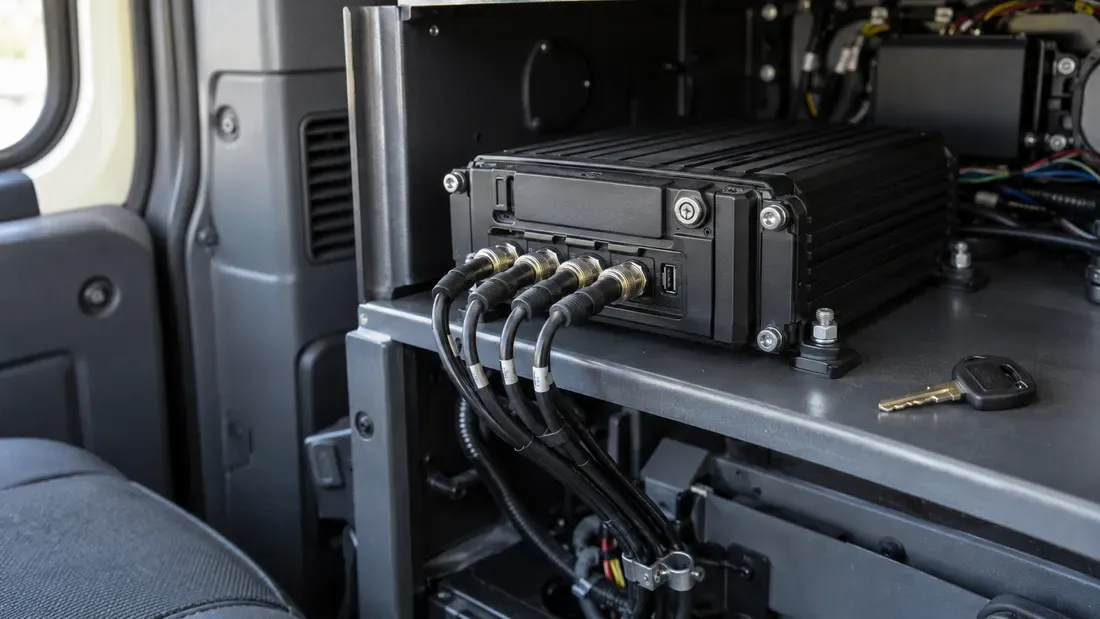
A mobile digital video recorder writes several streams while vehicle power and the recorder's operating state change. A card or SSD that passes a desktop speed test may still fail the recording system when channels, file rotation and shutdown interact. Qualify the recorder, firmware, media and power sequence as one declared configuration.
This is a test plan for an OEM or fleet equipment team. The recorder manufacturer determines supported interfaces, wiring and recovery behavior; a storage label cannot override its manual.
Freeze the recorder and workload
Record the MDVR model, hardware revision, firmware, storage interface, supported capacities, file format and mounting location. The Hikvision AE-MD5043-SD manual, for example, describes a recorder with two SD slots and configurable delayed shutdown. Those are properties of that model, not requirements for every MDVR.
Enable the production channel configuration. Log codec, resolution, frame rate, rate control, audio, GPS or other metadata, and any event mode that writes to the same storage. Measure short-window and sustained host writes on representative scenes. A daily average cannot reveal a simultaneous event burst, while a peak speed label does not show what happens after the medium fills and older footage is overwritten.
Include a complete file-rotation or full-card overwrite boundary when the application uses one. Inspect completed clips for timestamp order, expected duration and decodability. The active clip needs its own recovery rule; it may be incomplete after an interruption even if earlier closed files remain readable.
Test ignition and recording together
Write the expected action from the target recorder manual into each row before running the test. “Pass” means the observed outcome meets that written rule; the table does not prescribe one universal shutdown behavior.
| State or transition | Observe together | Outcome to specify before the test |
|---|---|---|
| Power-on with ACC active | Storage detection, mount and recording start | Maximum allowed time until all required channels record |
| Steady recording | Concurrent streams, file rotation, errors and buffer behavior | Allowed gaps, file errors and write delays |
| ACC off with configured delay | Whether recording continues, stops or changes mode; file close and final power-off | Expected footage window and completed-file integrity |
| ACC on again during delay | Recorder state and recording continuity | Whether it resumes, restarts or creates a new file, within what limit |
| Input voltage variation within the recorder's declared range | Recorder and media resets, file timeline and logs | Allowed interruption or recovery behavior for that host |
| Abrupt power removal, if in scope | Last closed files, active file, index and next boot | Exact data-loss window and recovery policy |
Apply power through the recorder's specified harness and an appropriate test fixture. Do not improvise connections to an SSD PCB or storage contacts. Preserve the first failure logs; a later successful reboot should not erase evidence of a missed recording interval. If the application has a delayed shutdown, test the configured delay actually used in the vehicle, including a restart during that period.
An abrupt interruption is a fault scenario, not a normal ACC-off test. The recorder may be permitted to lose an open segment, depending on its design. Set separate rules for already closed files, the active file and the index. “Video plays” is too vague: check the time span, file count and decodability around the event.
Tie environment to mounting position
ISO 16750-1:2023 describes environmental conditions and tests in relation to a vehicle component's mounting location. Use the OEM's installation and media requirements to choose temperature and mechanical test conditions. Record the fixture, severity, duration, sample count and whether recording was active. Passing one declared test does not confer blanket automotive certification on a card, SSD or recorder.
For removable media, inspect socket retention and contacts before and after the relevant mechanical exposure. After a safe shutdown, look for oxidation, corrosion or discoloration at the slot contact points and record any finding with photographs. Poor contact can disrupt operation, but appearance alone does not prove the cause of a recording fault; compare contact condition with the recorder's errors and a controlled retest. For an SSD, verify that the matched connector and specified mounting remain secure. A frozen video display is not evidence that files were written throughout the exposure; inspect the stored timeline and host errors.
Hand purchasing a reproducible approval record
The record should bind recorder and firmware revision, storage part and firmware identity, channel settings, format and fill state, power scenario, environmental condition, file checks, errors and observed recovery time. Mark any skipped test as “not run.” Distinguish a media-only reader test from target-recorder approval.
When asking for a quote, include the approved storage configuration and the change fields that require new samples. Confirm availability and change-notification terms in writing. Neither this guide nor a test on a different recorder establishes that a proposed Kalstor part has passed the buyer's MDVR qualification.
References
We publish measured usable capacity and define trial-batch verification against the quoted product and agreed test scope.