
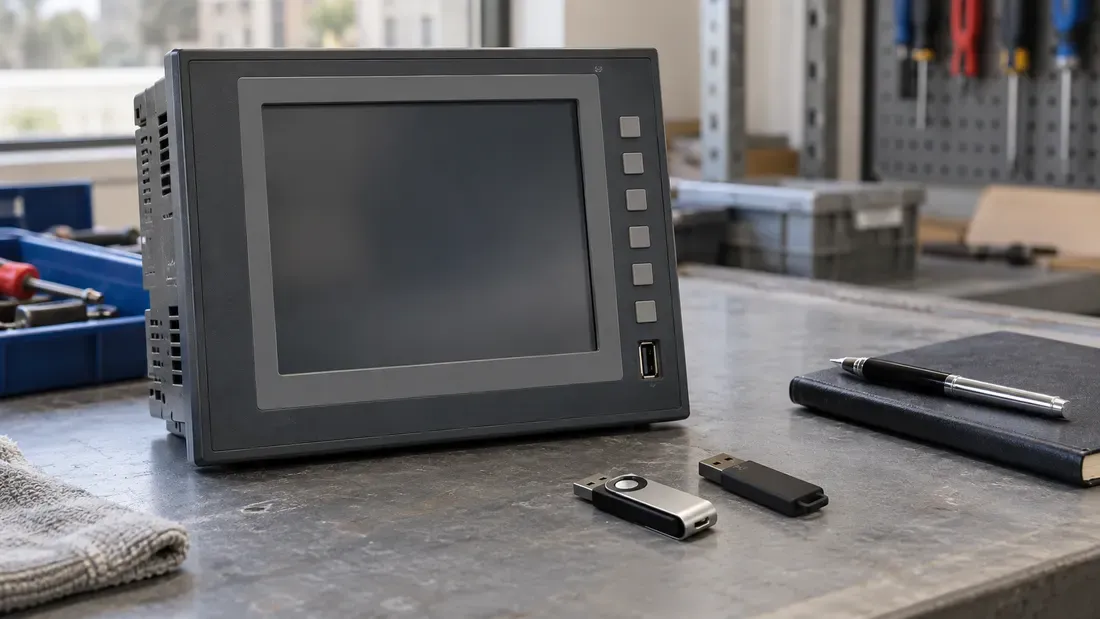
Why Does an Old HMI Recognize One USB Drive but Not Another?
- “Not recognized” can describe a USB, block-device, partition, filesystem or application-level failure.
- Compare a known-working drive and candidate on the same machine, port and software version before changing media.
- Keep the original drive and its unique files intact; test layout changes on expendable copies.
- Compare capacity, partition scheme and filesystem with the HMI manual and the computer or mobile OS used to prepare the drive.
First find out what “not recognized” means on the actual machine. An old HMI may fail to detect a USB device, detect it without exposing storage, see the disk but not its partition, mount a volume but not show the required file, or reject the file inside its own application. Those are different faults. Reformatting every candidate as FAT32 without locating the first failed step can erase useful evidence and may not solve the problem.
Use one known-working drive as a baseline. Compare it with the candidate on the same equipment, firmware version and USB port, recording the exact result after each insertion. The equipment maker's manual and diagnostics determine which observations are available; a Windows desktop's behavior cannot be assumed for a proprietary HMI.
At which layer does recognition stop?
| First observation on the machine | What it establishes | What remains to check |
|---|---|---|
| The port or drive indicator lights | Some power or indicator activity exists. | Whether the host detected and enumerated a USB device. |
| The host lists a USB device | A bus-level device was detected. | Whether a compatible storage driver exposes a block device. |
| A disk or capacity appears | Storage is visible to the host. | Whether the expected partition layout is found. |
| A partition or volume appears | A layout was found. | Whether its filesystem can be mounted and read. |
| The volume opens, but the application shows no file | The filesystem path works at least partly. | The required path, name, extension, file content and application rules. |
USB storage transport is distinct from the data layout above it; the USB-IF Mass Storage Bulk-Only specification is one example of that transport layer. It does not say that every USB device or every older host supports the same transport. If the machine offers logs, record the first error or missing observation rather than inferring a cause from a drive's indicator light.
If a machine shows a volume but not its files, check its documented filesystem and application rules separately. Microsoft compares FAT32, exFAT and NTFS features, including FAT32's single-file size limit, but that table describes Windows filesystems, not the support list of a particular HMI. The host's own specification controls the decision. Likewise, Microsoft documents version-dependent multi-partition USB support in WinPE; it is an example of why partition behavior must be checked per software version, not a universal rule for industrial equipment.
Capacity affects the practical format choices and file-size requirements, but it does not dictate the filesystem on a USB drive. A drive labelled 64GB might currently be FAT32 or exFAT, and a legacy HMI may accept one and reject the other. For comparison, Apple's Disk Utility guide recommends MS-DOS (FAT) for Windows-compatible volumes of 32GB or less and exFAT above 32GB; that is a formatting-tool guideline, not a universal 64GB boundary or a guarantee of HMI support. Record how the drive was prepared on Windows, macOS or Android, including its partition scheme, actual filesystem and required file sizes, then verify that combination on the target HMI. Android support in particular depends on the device and OS build rather than the USB label.
On a Windows-based host, a volume may exist without a letter visible in File Explorer; drive-letter assignment is a separate Disk Management step. Changing that setting on production equipment is a software-administration decision, not a storage-hardware test. On other hosts, use their vendor's equivalent diagnostic view.
Record the working drive and candidate side by side
| Item | Known-working drive | Candidate | Evidence or open question |
|---|---|---|---|
| Machine, firmware and port | Exact values | Same test conditions | Manual and diagnostic version |
| Drive identity | Full model, revision and capacity | Full model, revision and capacity | Label, order code and host report |
| USB/storage presentation | What the host reports | What the host reports | First stage with different behavior |
| Partition and filesystem | Layout and format, if readable | Layout and format, if readable | Host support for each; OS/tool used to prepare it |
| Required file | Path, name, type and version | Same intended payload | Application rule and error text |
| Result | Recognition and completed task | Recognition and completed task | Logs, time and operator |
This comparison does not require guessing that a particular USB generation, capacity, partition table or filesystem is always preferred. It tells engineering where to look next. For example, if both drives appear as disks but only one volume mounts, review the layout and filesystem before changing USB hardware. If both volumes open but the HMI application accepts only one, inspect file-level requirements before ordering another controller.
Test a change without losing the baseline
Preserve the original working drive and its unique files. The customer's maintenance team should first make a verified copy under its normal backup procedure, then use expendable test media for any formatting, partition or payload changes. Record one deliberate change per run and repeat the full application task on the same machine and port. A PC reading the files is useful information, but it does not prove the HMI can import, export or update them.
When a hardware difference remains after a controlled comparison, send the exact working and candidate part identities, equipment model, observed failure stage and required quantity in an OEM hardware discussion or quote request. Kalstor supplies storage hardware; machine firmware, file preparation, software updates and application acceptance remain with the equipment owner or its designated integrator. The USB identity guide covers VID/PID and serial-number control when those fields are relevant to an OEM specification.
FAQ
Does a lit USB drive indicator mean the HMI has recognized the drive?
Should every USB drive for an old HMI be formatted as FAT32 with one MBR partition?
References
We publish measured usable capacity and define trial-batch verification against the quoted product and agreed test scope.