
AI camera storage: size video, events, models and logs separately
- Budget video, event retention, metadata, models, logs and update space separately for the camera and edge server.
- For continuous recording, total average Mbit/s multiplied by 10.8 gives decimal GB per day of encoded video, not total NAND writes.
- Qualify the exact device, firmware and storage configuration under concurrent recording, updates and recovery conditions.
An AI camera's storage requirement is more than bitrate multiplied by retention days. Budget continuous video, event clips, thumbnails, metadata, models, logs and updates separately. Then check concurrent writes, endurance and recovery space before choosing microSD, eMMC or SSD.
Video analysis may run inside the camera or on an attached edge computing server. Depending on the device and algorithm, tasks can include industrial defect detection, object-boundary identification or security line-crossing detection. These are possible application functions, not capabilities guaranteed for every camera. Separate the camera's storage tasks from the server's: moving inference off-camera does not automatically move recording, logs or update packages with it.
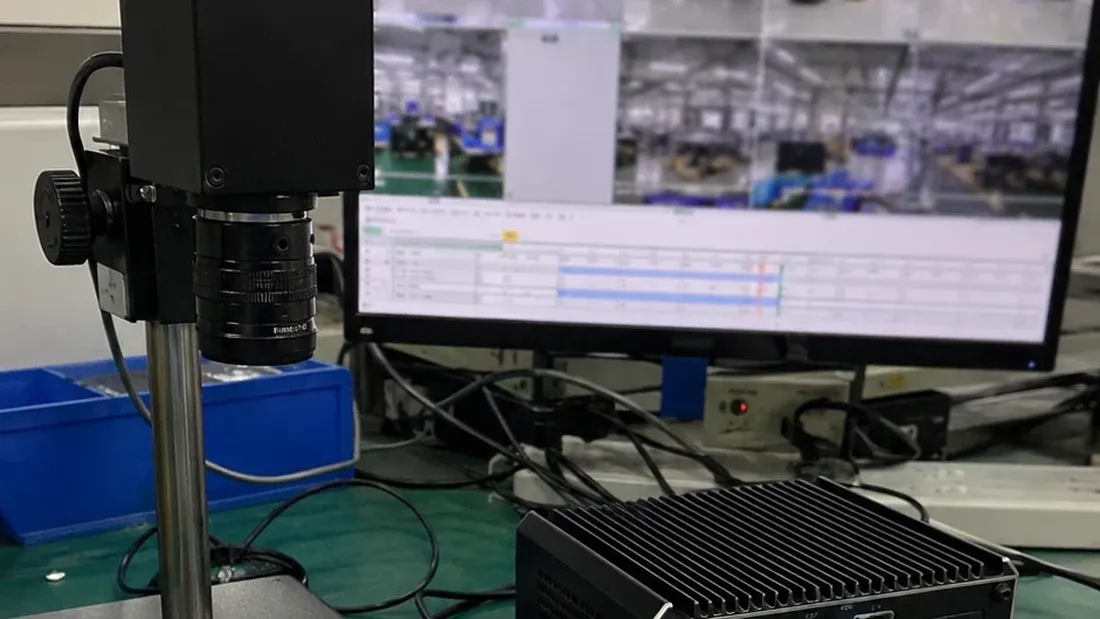
Image disclosure: the cover is an AI-generated representative integration scene, not a factory photograph or proof that a camera has passed compatibility, speed or endurance testing with Kalstor storage.
What data does an AI camera generate?
| Data | Typical behavior | Storage consequence |
|---|---|---|
| Continuous video | Long sequential writes and loop recording | Sustained throughput, missing-segment risk and wear |
| Event clips | Separate copies or locked sections of existing recordings | Extra writes or longer occupancy of loop space |
| Thumbnails and snapshots | Small files and bursts | File-count, metadata and random-write overhead |
| Detection metadata | Timestamps, objects, coordinates and confidence values | Frequent small writes and index consistency |
| Models and configuration | Mostly reads, larger writes at updates | Version control, temporary space and rollback |
| System logs | Frequent small writes, bursts during faults | Space exhaustion, write amplification and lost diagnostic evidence |
For each row, record where the data is stored, its generation rate, retention rule and deletion behavior. An event index and its associated video may live on different devices. Test their consistency after a restart rather than assuming that both are preserved together.
How should recording capacity be calculated?
For recording throughout a full day, with the sum of average channel bitrates known:
Encoded video (decimal GB/day) = total average bitrate (Mbit/s) x 10.8
The factor comes from 86,400 seconds per day, eight bits per byte and decimal units. It describes encoded video only, not all host writes or physical NAND writes. For scheduled or event-only recording, calculate each stream using its actual recording duration. Apply a recording duty factor only when the bitrate was measured during active recording; do not discount an already time-averaged figure twice.
Variable bitrate needs an additional check of short-term peaks during complex scenes. Axis discusses how bitrate control and retention budgets interact [1]. Resolution alone does not establish either daily capacity or the peak write rate.
Consider an explicitly hypothetical example: two channels averaging 4 Mbit/s each, recorded continuously for seven days. Video alone occupies (4 + 4) x 10.8 x 7 = 604.8 GB. This is not a final purchase capacity. Add other simultaneous data, container and filesystem overhead, retained events, updates and operating headroom; then check the host's supported capacity and format.
Check the event-recording mechanism before adding another video allowance. Locking an existing segment does not write a second copy, but extended retention reduces space available for loop recording. A separately copied clip or additional stream does add data. Model these cases separately to avoid double counting.
Why are 4K and 8K insufficient specifications?
Codec, frame rate, quality settings, scene complexity and channel count can produce very different bitrates at the same resolution. Request the exact camera and firmware, codec, resolution and frame rate per channel, average and peak bitrates, recording mode and retention period. Where the system uses an edge server, include its input streams and whether it stores originals, processed outputs or only analysis results.
When do microSD, eMMC and SSD make sense?
- microSD: useful where removable service access matters. Validate the socket, supported card configuration, loop endurance, temperature and accidental-removal behavior.
- eMMC: suitable for fixed board-level boot and controlled data tasks where the host supports it. Package, interface and capacity decisions belong in the PCB design review.
- SSD: a candidate for higher aggregate data rates, larger models, containers or longer retention. Interface, power, cooling and mechanical mounting require their own review.
NVIDIA's Jetson AGX Orin Developer Kit provides an example with onboard eMMC and optional storage paths [2]. This illustrates platform-dependent choices; it does not establish that every camera supports them or that a particular Kalstor part has been qualified. See the AI memory and storage hierarchy guide for the distinction between working memory and persistent storage.
Why reserve space for models and OTA updates?
An update may temporarily retain the current model, candidate version, download package and recovery information. Android Virtual A/B uses snapshots and merging, so storage consumption changes during the update lifecycle [3]. Non-Android systems need a budget based on their own partitions and rollback design, not an Android-derived allowance.
Measure the worst supported overlap: recording continues, logs grow, an update downloads and old versions remain available. A filesystem reporting free space does not by itself establish sustained performance or successful recovery.
Build a per-stream capacity worksheet
Do not multiply one headline bitrate by the number of cameras when their schedules, codecs or retention rules differ. Record each stream and its storage location first. Use bitrate measured while recording with active hours per day, or use a full-day time-averaged bitrate with 24 hours; applying both reductions understates capacity.
Encoded video (decimal GB) = active-recording bitrate (Mbit/s)
                           x recording hours/day x 0.45 x retention days
The factor 0.45 converts one Mbit/s recorded for one hour into decimal GB. This is an estimate of encoded video, not allocated filesystem space or physical NAND writes.
| Stream or data set | Stored on camera or server? | Bitrate while recording | Hours/day | Retention | Is an event copied or only locked? |
|---|---|---|---|---|---|
| Original video, channel A | |||||
| Original video, channel B | |||||
| Processed video or event copy | |||||
| Metadata, snapshots and logs | Measure bytes/day separately |
For example, in a hypothetical seven-day system, a 6 Mbit/s stream recorded 24 hours/day uses 6 x 24 x 0.45 x 7 = 453.6 GB; a 4 Mbit/s stream recorded 10 hours/day uses 126 GB; and an 8 Mbit/s stream recorded 4 hours/day uses 100.8 GB. Together they need 680.4 GB of encoded-video space. They may be on different devices, so do not treat the sum as the capacity of one drive. Add filesystem/container overhead, copied events, models, logs, update overlap and project-specific operating headroom to the relevant device. A locked segment changes the retention budget; it is not a second copy unless the system writes one.
Finally, check write rate separately from capacity. Daily GB cannot show whether simultaneous camera streams, event copies, model downloads and log bursts exceed the device's sustained write capability. Measure the overlapping workload and near-full behavior on the actual host; set acceptance limits for missing frames, errors, free space and recovery before the test.
What should sample validation record?
Record device and board revisions, firmware, exact storage identity, channel settings, average and peak bitrate, occupied capacity, formatting method, temperature, loop behavior, event triggers, log bursts and any failed files. Include the timing of controlled power interruptions and the observed startup, filesystem and recording recovery. Use backed-up data and dedicated samples; interruption tests can destroy data.
SD Video Speed Class is a screening input for minimum sustained sequential writing under defined conditions [4]. It is not a camera-compatibility or endurance guarantee. Evaluate simultaneous recording and event handling in the intended host, including near-full operation and the applicable vibration environment.
How does a sample become a production configuration?
Bind the approved sample to the commercial SKU, agreed controller/NAND/firmware identity, traceable lot and label or packaging revision. Define which substitutions trigger notification, retesting or approval. One successful sample run supports only that configuration under those conditions, not a zero-failure claim for every batch.
For a project review, send Kalstor the camera or edge-server model, host interface, stream budget, retention, temperature and monthly quantity. These inputs support a candidate-media matrix and sample acceptance plan. Availability and performance remain subject to the formally confirmed configuration.
FAQ
Does a 4K AI camera always need an SSD?
Why reserve more space than the model file size?
References
We publish measured usable capacity and define trial-batch verification against the quoted product and agreed test scope.